What is a Hotel Lobby AI template?
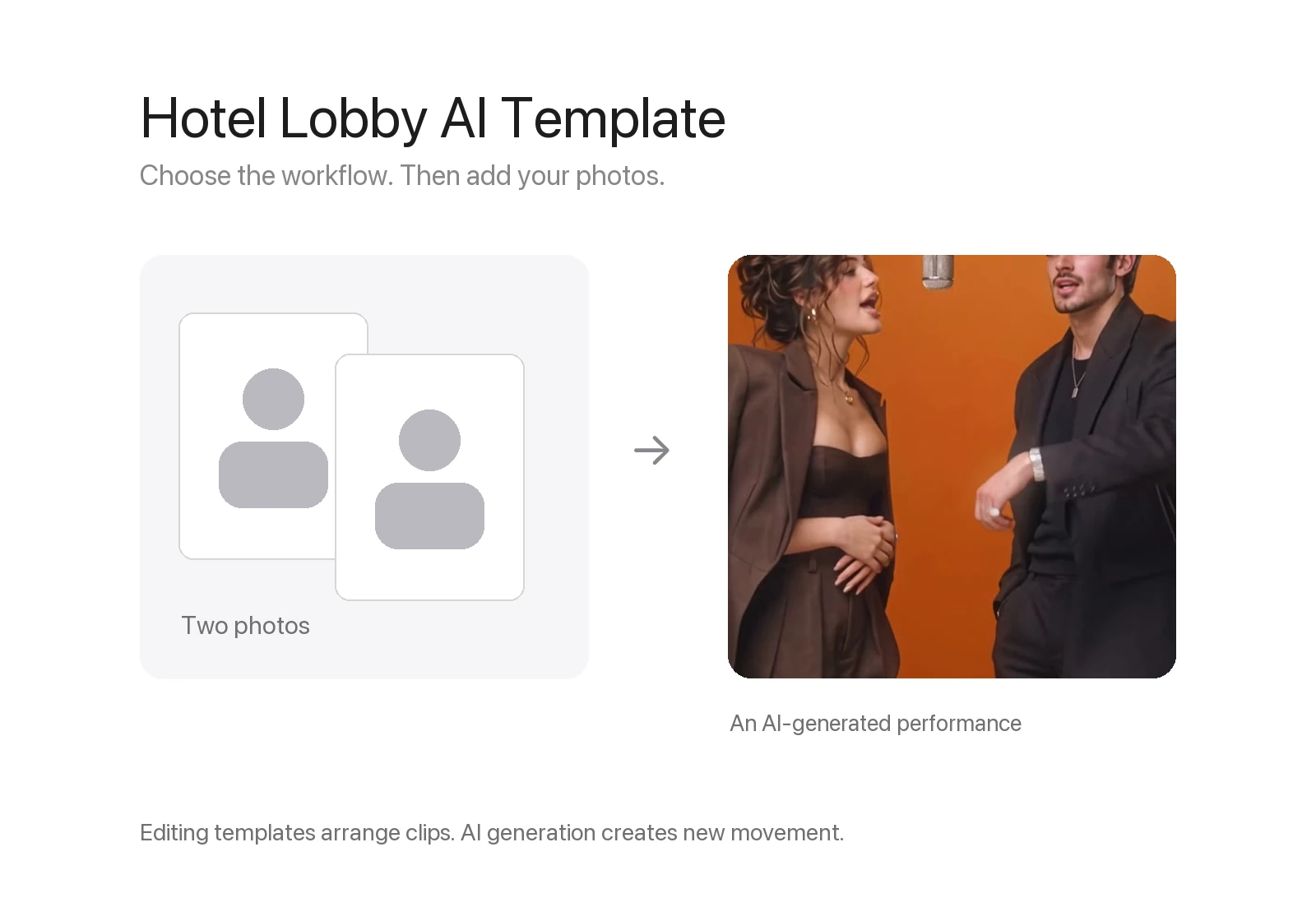
People use this phrase for several ways of making the Hotel Lobby trend: a preset edit, an AI effect, or a ready-to-use generation setup. The intended look is usually two performers facing a hanging microphone in an orange studio. The name alone does not tell you how the tool produces that scene.
An editing template places your media into a prepared timeline. An AI generation workflow creates movement from photos, instructions or a reference video. A filter may change appearance without generating a full two-person performance. Read the input requirements and watch the preview before choosing.
For example, one CapCut Hotel Lobby template lists two clips and a 9:16 format, while another same-name template lists 17 clips and 16:9. These are different editing setups; neither listing, by itself, establishes that two still photos become the viral AI duo.
Which type of template do you need?
You already have video clips
Choose an editing template if your goal is to arrange existing footage, add cuts or match a preset layout. Check the required number of clips, their timing and the export format.
You only have two photos
Choose a tool that explicitly generates a two-subject video from photos. It should explain how to assign the left and right performers and show the cost before submission. Our Hotel Lobby AI Generator uses a prepared performance setup, so you do not need to build a timeline or supply a reference clip.
You want to direct the reference performance
A reference-video workflow offers more setup control. You supply the source clip and character references, then describe the replacements. Read our Higgsfield Hotel Lobby tutorial for that approach.
How to use a Hotel Lobby AI template
Preview the complete result
Look for two distinct performers, the orange background and the microphone. Watch past the opening frame. A music montage with the same title may be a different effect.
Check the required inputs
Does it ask for existing clips, two photos, one combined image or a reference video? Supply the media type it expects. If the interface cannot assign two subjects, do not assume it will keep them separate.
Assign your performers
For a two-photo workflow, choose one subject for the left and one for the right. Keep that order when uploading. Check the previews before submitting.
Choose format and review the charge
Landscape 16:9 gives the pair more room across the frame. Portrait 9:16 suits a vertical feed, but both subjects still need to remain visible. Check the duration, resolution and any credits or export charges.
Generate or apply the edit
Wait for the tool to finish. Review faces, position, hands and sound throughout the result. For an editing template, check each inserted clip; for AI generation, inspect whether the subjects remain recognizable during movement.
Download and prepare your post
Save a local copy before sharing. Check the final crop and soundtrack in your chosen publishing app. A template name does not guarantee that a particular recording is included.
Using the prepared setup on this site
The homepage accepts two photos and creates one 15-second 720P video for $7.99, without an account or subscription. Studio adds 5-, 10- and 15-second choices and 480P, 720P or 1080P, using one-time credit packs after Google sign-in. Check current prices and the displayed credit cost before generating. Follow our photo-to-video walkthrough for the full Create, History and download steps.
Prepare two photos that are easy to cast
- Use one clearly visible person or pet in each photo.
- Choose sharp images with an unobstructed face and even lighting.
- Keep useful clothing and body detail when it is available.
- Avoid screenshots with interface controls or heavy text overlays.
- Check that each upload preview shows the intended subject.
On this site, use JPEG, PNG or WebP files up to 10 MB each. Photos do not need to share a background; choose them for recognizable subjects rather than matching scenery.
Is there a free Hotel Lobby AI template?
Check three separate things: access to the template, the cost of AI generation, and the cost of exporting the result. A free preview or editing preset does not establish that the complete AI video is free. Trial credits, watermarks and export options depend on the service and account.
Before starting, inspect the current charge and download conditions in the tool itself. Our video generation is paid; viewing examples and reading this guide are free. We do not offer a free render through the buttons on this page.
Why does the template not look like the trend?
- It creates a montage: you may have selected a clip-editing template rather than an AI performance workflow.
- It accepts only one subject: look for explicit two-subject support and a way to assign each reference.
- The subjects swap sides: check your photo order and, where available, the reference labels or casting instructions.
- A face is unclear: try a sharper reference with less obstruction; another render may incur a charge.
- The output is cropped: inspect both performers in the selected aspect ratio before posting.
If a template link is unavailable, return to the provider’s current template search. Avoid treating an expired link or an old tutorial screenshot as proof that the preset is still usable.
Hotel Lobby AI template questions
Can I upload two photos to a CapCut Hotel Lobby template?
Check that specific template’s input requirements. A listing that requires video clips is not proof of two-photo AI generation, even when its title matches the trend.
Do I need to download a template file?
Not for our browser-based generator. You upload the photos on the website. Other tools may require their app or a preset; follow their stated workflow.
Is a Hotel Lobby AI filter the same as a template?
The labels are used differently by different tools. Judge the preview and required inputs: changing a face or applying a visual effect may not create the full duo performance.
Can I use photos of pets?
Our workflow supports a clearly visible person or pet in each photo. Review the finished result for recognizable features and natural-looking movement.
Which app should I choose?
Choose based on whether you have clips, photos or a reference performance. See our Hotel Lobby tool guide for the options available on this site.
Start with your photos
Create your Hotel Lobby video
Use a prepared performance setup and cast your own two subjects.